Setup Wizard
The setup wizard runs automatically on first launch. It creates your library, connects a language model, and runs the first scan. With the built-in model the whole thing is a few clicks; the only wait is the first scan itself.
The Five Steps
- Welcome — what FileMind does. Click Get Started.
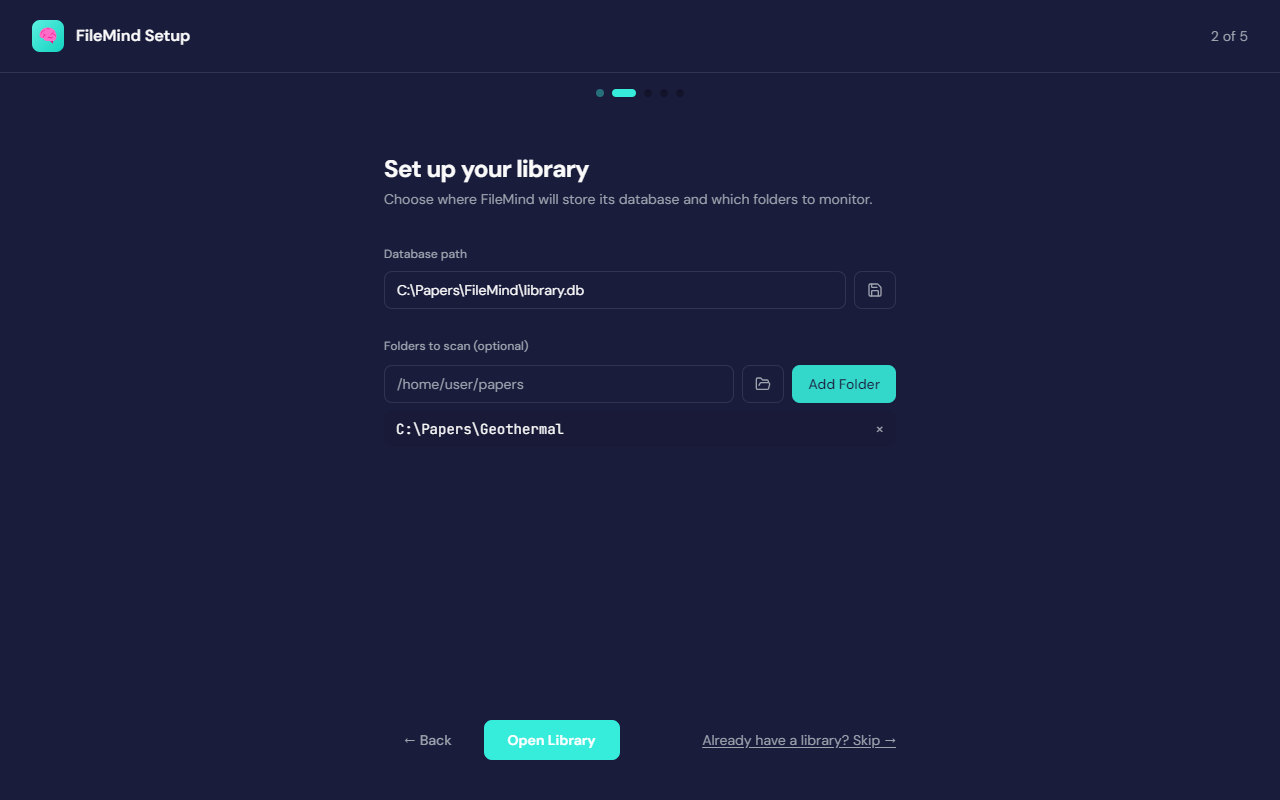
- Set up your library — choose where the library database lives (the default is
under
%APPDATA%\FileMind) and add the folders you want scanned. Folders are optional here; you can add more from the Dashboard at any time. If you already have a library from a previous install, use Already have a library? Skip. - Configure AI — pick a language model provider (below). This step is required: Ask needs a model, and rename proposals use one as a fallback.
- Scanning your library — FileMind indexes every PDF in the folders you added. Continue in background lets you move on while it finishes.
- You're all set — a short tour of the Rename Queue, Search, and Ask, then Go to Dashboard.
Choosing a Provider
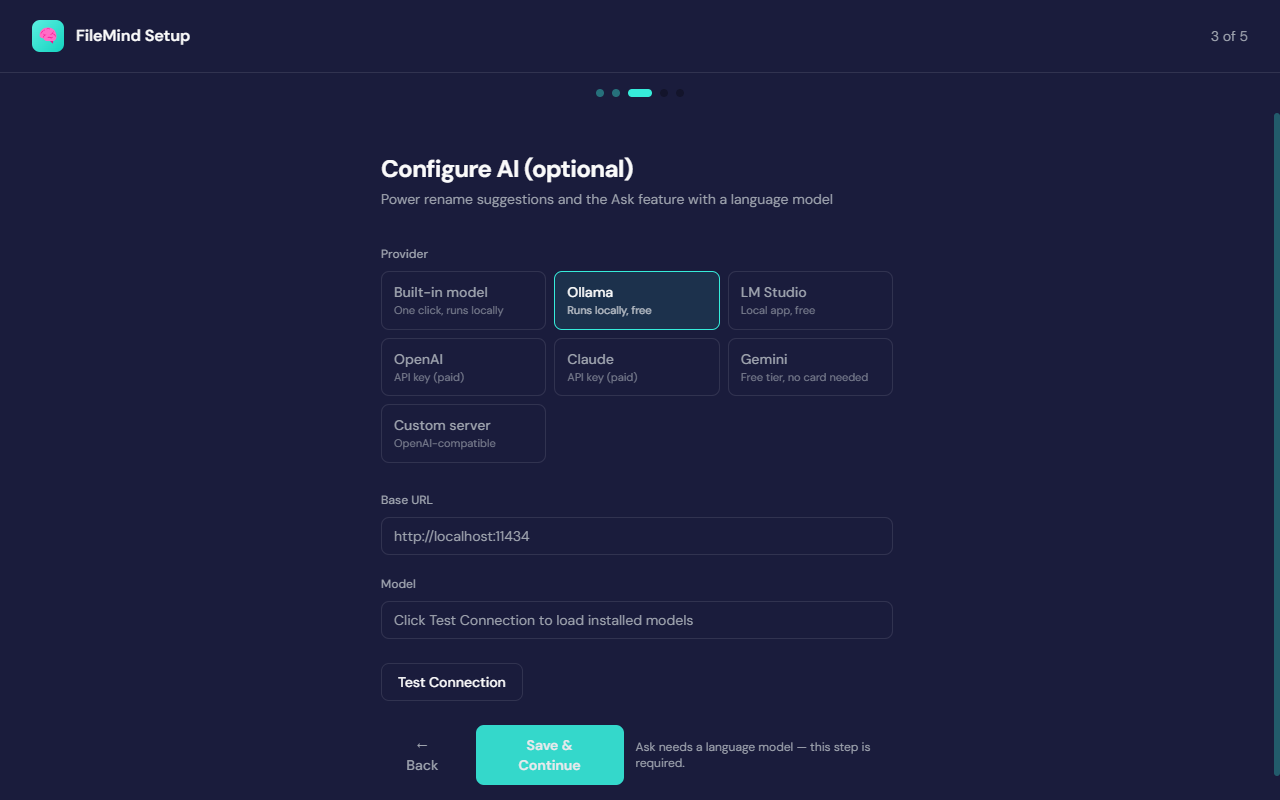
Step 3 shows seven provider cards. If Ollama or another local server is already running on your machine, FileMind detects it and selects it for you.
| Card | Runs | Cost | What happens when you pick it |
|---|---|---|---|
| Built-in model | On your computer | Free | One button downloads Qwen3-4B-Instruct (about 2.5 GB, verified by checksum) and starts it. No account, no API key, nothing else to install. |
| Ollama | On your computer | Free | Detected automatically if installed. Otherwise an Install Ollama button opens the installer and FileMind waits for it. Then pick a model from the curated catalog and pull it from inside the app. |
| LM Studio | On your computer | Free | Uses LM Studio's local server if one is running; otherwise links to the download. Load a model in LM Studio and click Test Connection. |
| OpenAI | Cloud API | Paid, per token | Guided key setup: Get API key opens the right page, and a pasted key is tested before it is saved. |
| Claude | Cloud API | Paid, per token | Same guided flow, for an Anthropic key. |
| Gemini | Cloud API | Free tier, no card needed | Same guided flow, for a Google AI Studio key. |
| Custom server | Wherever you run it | — | Any OpenAI-compatible endpoint: enter the base URL and model name. |
The Model Providers guide walks through each of these end to end, including account creation and API keys for the cloud options.
The built-in model
The built-in option is the default recommendation for anyone who just wants FileMind to work.
It runs a bundled llama.cpp server on 127.0.0.1 and manages it for you — starting it
with the app and stopping it when you quit. The model is
Qwen3-4B-Instruct-2507 (Q4_K_M quantisation, Apache-2.0 licensed), downloaded
once from Hugging Face into %APPDATA%\FileMind\models. It needs about 2.5 GB of disk
and runs acceptably on CPU; a GPU makes it noticeably faster.
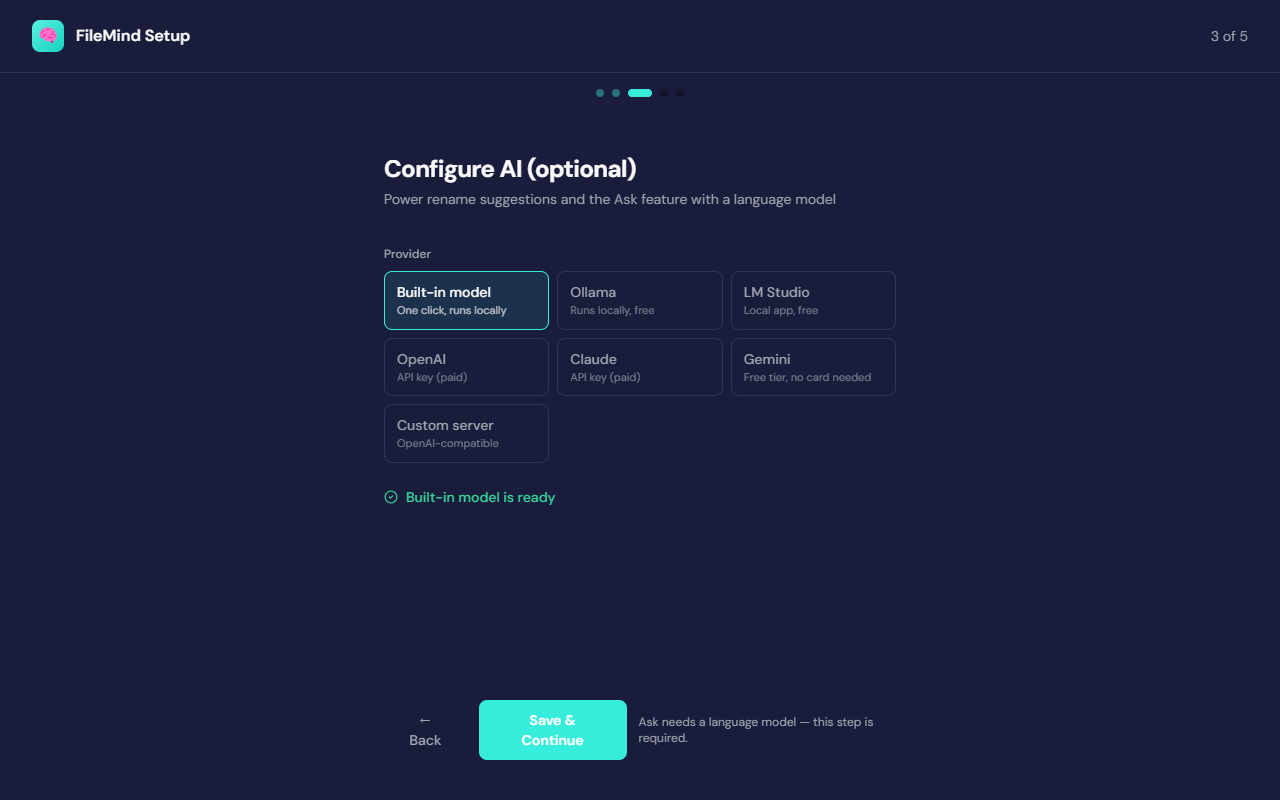
If the wizard reports that this computer may not be able to run the built-in model, pick one of the other cards — Gemini's free tier is the quickest alternative that needs no hardware.
Ollama model recommendations
The Ollama card shows a curated catalog and marks which entries fit your machine. FileMind reads
your GPU memory and recommends gemma4:12b when there is roughly 12 GB of VRAM or more,
and mistral otherwise. You can pull any catalog model from inside the app.
| Model | Download | Needs | Notes |
|---|---|---|---|
llama3.2 | ~2 GB | 8 GB RAM | Fastest option — good for quick answers on a modest laptop |
qwen3:4b | ~2.5 GB | 8 GB RAM | Small and fast, with an optional thinking mode |
mistral | ~4.4 GB | 8 GB RAM | Balanced everyday model — runs acceptably on CPU or a small GPU |
qwen3:8b | ~5.2 GB | 16 GB RAM | More capable than the 7B tier; wants more RAM to stay responsive |
gemma4:12b | ~7.6 GB | 16 GB RAM, ~12 GB VRAM | Best-grounded answers in the catalog — refuses rather than inventing an answer when your library does not cover the question |
qwen3:14b | ~9.3 GB | 32 GB RAM, 16 GB VRAM | Largest model here — needs a serious GPU to stay fast |
What the AI Model Does
FileMind uses the language model for three things:
- Ask My Library — answers your questions using content from your papers, with enforced citations.
- Metadata extraction fallback — when identifier lookup and heuristic parsing both fail, the model extracts title, authors, and year from the PDF text. This is a last resort, not the primary method.
- Query rewriting — optionally rewrites your question for better retrieval.
The model never generates filenames. Filenames are always composed deterministically from a template using validated metadata fields.
Privacy
With the built-in model, Ollama, or LM Studio, nothing leaves your computer. With a cloud provider, only the text snippets needed for the current request are sent — never the whole PDF. Text extraction, OCR, embeddings, search, and reranking are local in every configuration.
Re-running the Wizard
You can re-run the wizard at any time from Settings → Setup → Run Setup Wizard Again. Everything it configures can also be changed directly in Settings: the provider and model live under LLM Provider, and scan folders on the Dashboard.