Your research papers, intelligently organized
FileMind scans your PDF library, extracts metadata, renames files intelligently, and lets you search and ask questions across your entire collection — all on your machine, fully reversible.
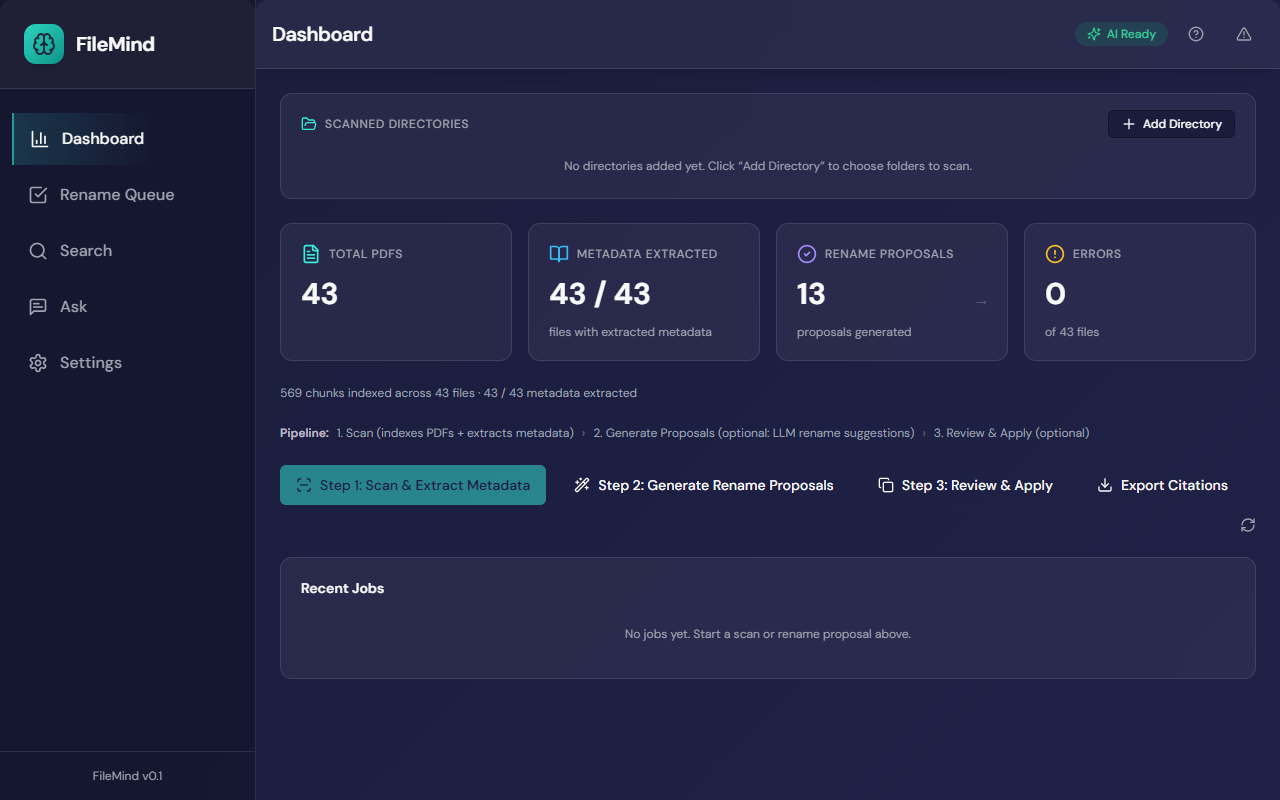
What is FileMind?
FileMind is a desktop application for Windows 10 or later that organizes folders of
research-paper PDFs. It reads each PDF, looks up its DOI or arXiv record, proposes a
filename in the form Author_Year_Title.pdf
together with the evidence behind it, and renames only the files you approve. Every
applied batch can be rolled back in one click.
It then indexes the full text of every paper so you can search by keyword or by meaning, and ask questions that are answered only from your own papers, with page-level citations. Scanning, OCR, indexing, search and the built-in AI model all run on your machine; cloud AI providers are optional.
FileMind is built for researchers, graduate students and academics with a large backlog of downloaded papers. It is a one-time purchase ($39 for a personal Pro license) and the public beta is free with no PDF limit during the beta. It is not a reference manager: it exports to Zotero, BibTeX, RIS and CSV rather than replacing them. See the FAQ and the comparison with Zotero and Mendeley.
Downloaded chaos
Your 347 PDFs named paper_final_v2(3).pdf deserve better.
Search black hole
Finding that one paper about attention mechanisms shouldn't take 20 minutes.
Citation scavenger hunt
"I read it somewhere…" is not a citation strategy.
How it works
Install
Download and run the installer
Setup
A guided wizard sets up a local AI model in one click — or connects Ollama, LM Studio, or an API key
Scan
Point at your PDF folders — FileMind reads, extracts metadata, and indexes everything
Review
Approve intelligent rename proposals backed by evidence
Discover
Search by meaning, ask questions, export citations
Install
Download and run the installer
Setup
A guided wizard sets up a local AI model in one click — or connects Ollama, LM Studio, or an API key
Scan
Point at your PDF folders — FileMind reads, extracts metadata, and indexes everything
Review
Approve intelligent rename proposals backed by evidence
Discover
Search by meaning, ask questions, export citations
Core Features
Everything your papers deserve
From chaotic Downloads folder to cited, searchable library — in one tool.
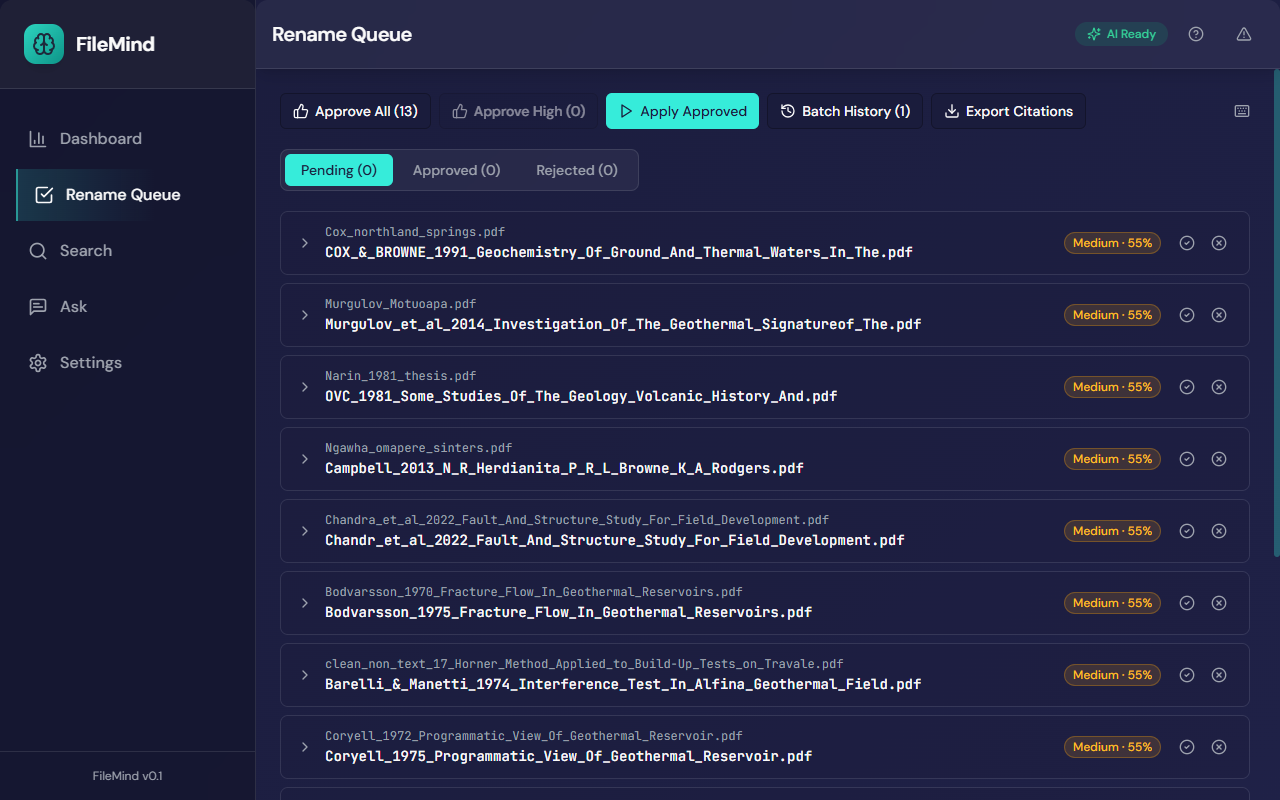
Intelligent Renaming
Every rename shows its confidence and the reasons behind it
Approve every high-confidence proposal in one click; review the rest
Batch apply with one click. Undo any batch instantly.
Join researchers organizing their libraries
Get notified when FileMind launches publicly. No spam, just release news.
Works with your existing tools
Start organizing your library today
Free trial · Full access · No PDF limit during the beta · No account required