Features
Everything you need to manage
your research library
A complete local-first toolkit — scanning, extraction, renaming, search, Q&A, and export — with no cloud dependency and no data leaving your machine.
PDF Scanning & Ingestion
Point FileMind at any folder — or your entire hard drive — and it recursively indexes every PDF it finds. No manual imports, no drag-and-drop. It knows the difference between clean digital PDFs and scanned images, and routes each file appropriately.
- Recursive folder scanning across nested directories
- Native text extraction + OCR fallback for scanned PDFs
- Text quality scoring — knows when OCR is needed
Metadata Extraction
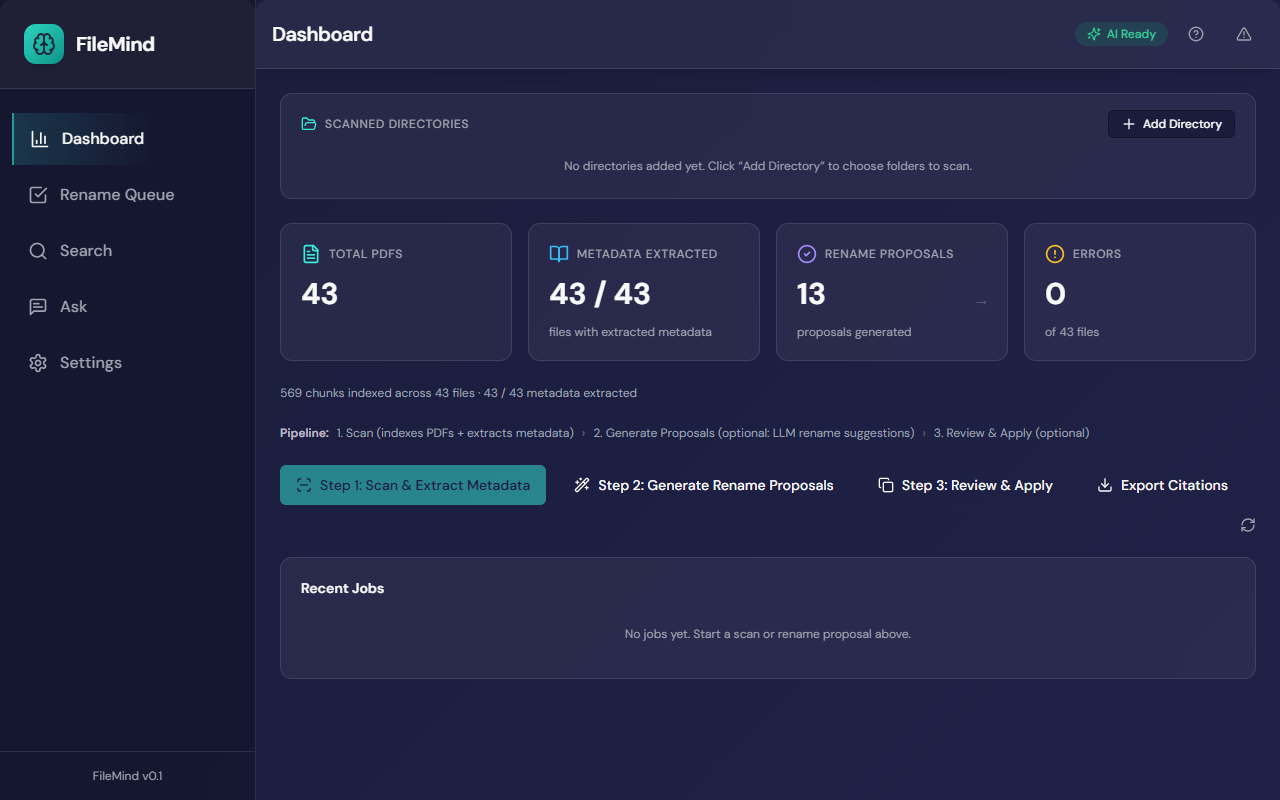
FileMind extracts structured bibliographic data from every paper — without making anything up. It chains deterministic methods first (DOI lookup, arXiv API), then heuristic parsing, and only calls a local LLM when both fail. Every field comes with a confidence score and the source snippet that proves it.
- DOI and arXiv ID detection with live crossref/arxiv lookup
- Heuristic title/author/year parsing from document structure
- Optional LLM fallback for difficult papers — never invents data
- Confidence scoring with evidence trails showing exactly what was parsed
Paper Detail — Extracted Metadata
Title · Authors · Year · DOI · Journal · Abstract
Intelligent Renaming
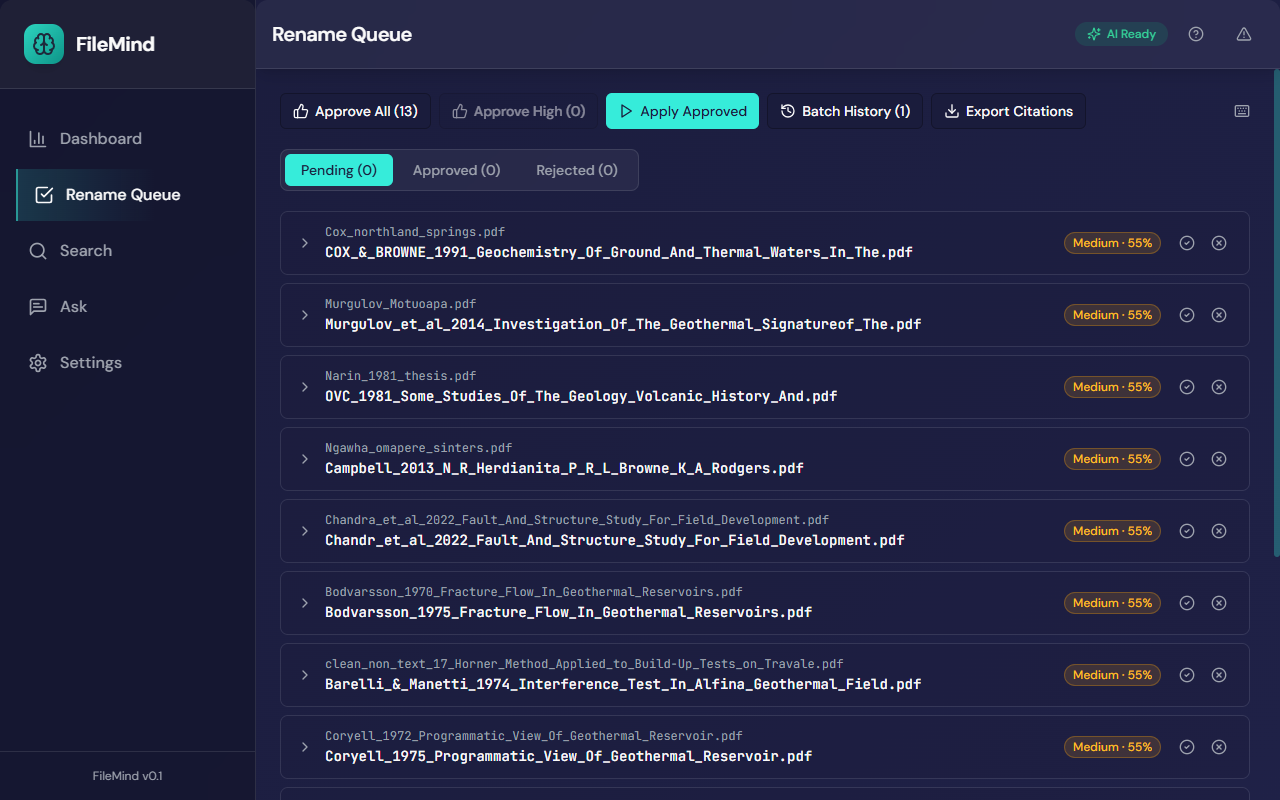
Filenames become meaningful: Vaswani_et_al_2017_Attention_Is_All_You_Need.pdf. Every proposal shows its confidence score and the reasons behind it. You approve or reject; FileMind never changes files without your confirmation.
- Deterministic filename templates (
Author_Year_Title.pdf) - LLM never generates filenames — only extracts structured metadata
- Three confidence tiers: bulk-approve high, review medium and low individually
- Collision detection and resolution for duplicate targets
Journaled Operations
Every rename is recorded in a durable action journal before it happens. If your machine loses power mid-batch, FileMind recovers automatically. Any applied batch can be rolled back in a single click — your files are never at risk.
- Every rename recorded in action journal before execution
- Batch rollback — undo any applied batch instantly
- Recovery from interrupted operations on next launch
- "Your files are never at risk" — provable, not just a promise
Action Journal
847 operations · 3 batches · 0 errors
Multi-Modal Search
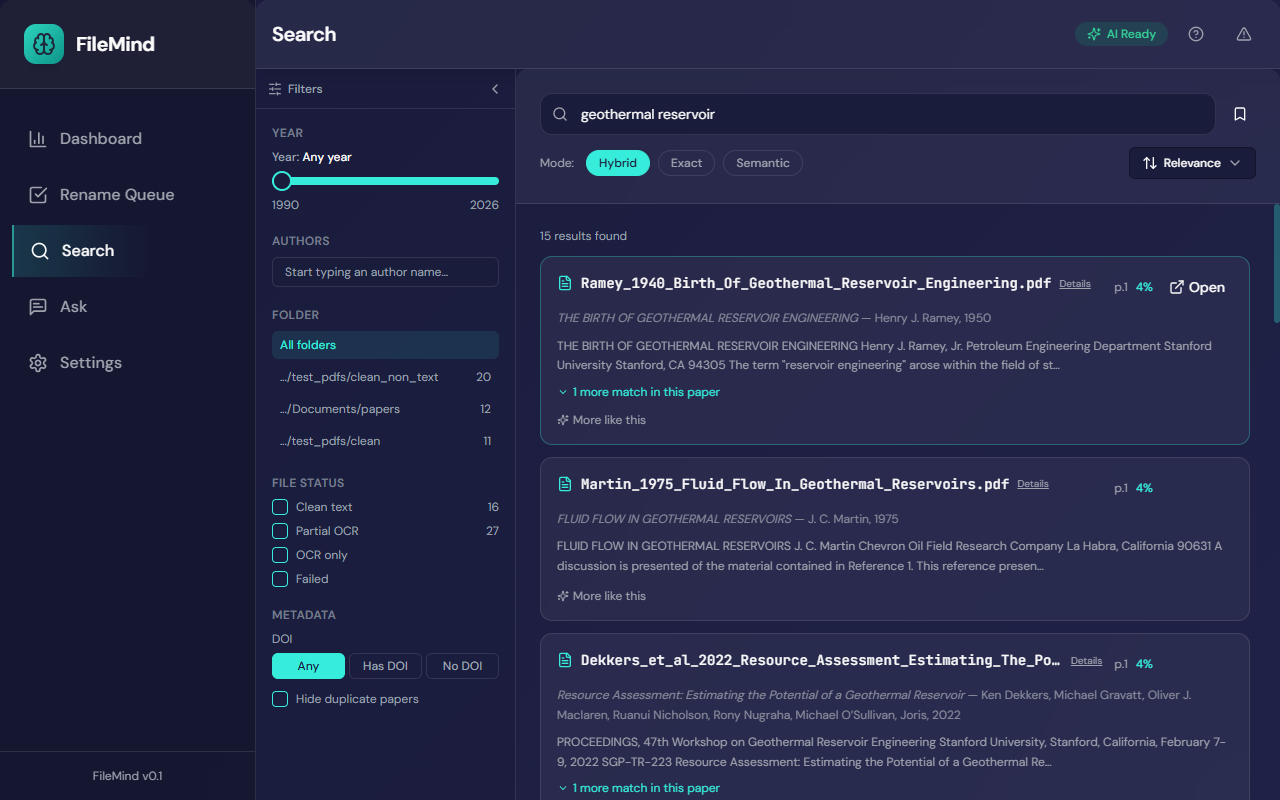
Three search engines, one interface. Keyword search reaches every word in every paper. Semantic search understands meaning — finding a paper about "attention mechanisms" even if it calls them "self-attention". Hybrid mode combines both for results that are both precise and broad.
- Full-text keyword search powered by SQLite FTS5
- Semantic search via local sentence-transformer embeddings
- Hybrid mode combining keyword and meaning-based retrieval
- Results include page numbers and context snippets
Ask My Library
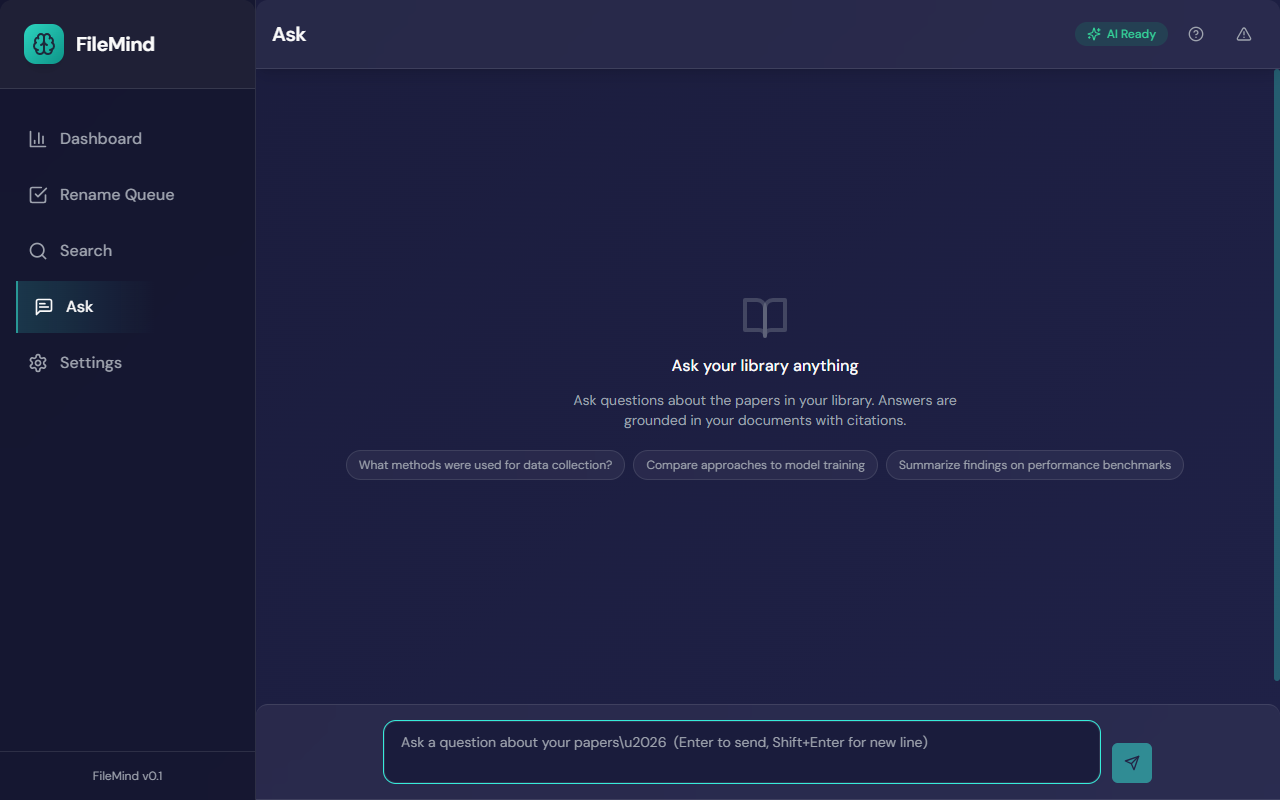
Ask a question in plain English and get an answer drawn from your own papers — with citations enforcing every claim. FileMind will not answer without a source. With the built-in local model, Ollama, or LM Studio nothing leaves your computer — or bring a cloud API key.
- Natural language Q&A over your entire local collection
- Citation enforcement — every claim must cite a specific paper and page
- Query rewriting and hybrid retrieval for better recall
- Built-in local model enabled in one click — or Ollama, LM Studio, OpenAI, Claude, Gemini
Export & Integration
FileMind works with every reference manager you already use. Push directly to Zotero with live two-way validation, or export BibTeX for LaTeX manuscripts, RIS for Mendeley and EndNote, or CSV for custom workflows. Your data is always yours.
- Direct Zotero push — validate, browse collections, batch push
- BibTeX, RIS, CSV export — compatible with Mendeley, EndNote, and others
- Configurable confidence threshold to exclude uncertain records
- Skipped records report with per-field reasons
Export Dialog
847 papers · Zotero · BibTeX · RIS · CSV
Guided First-Run Setup
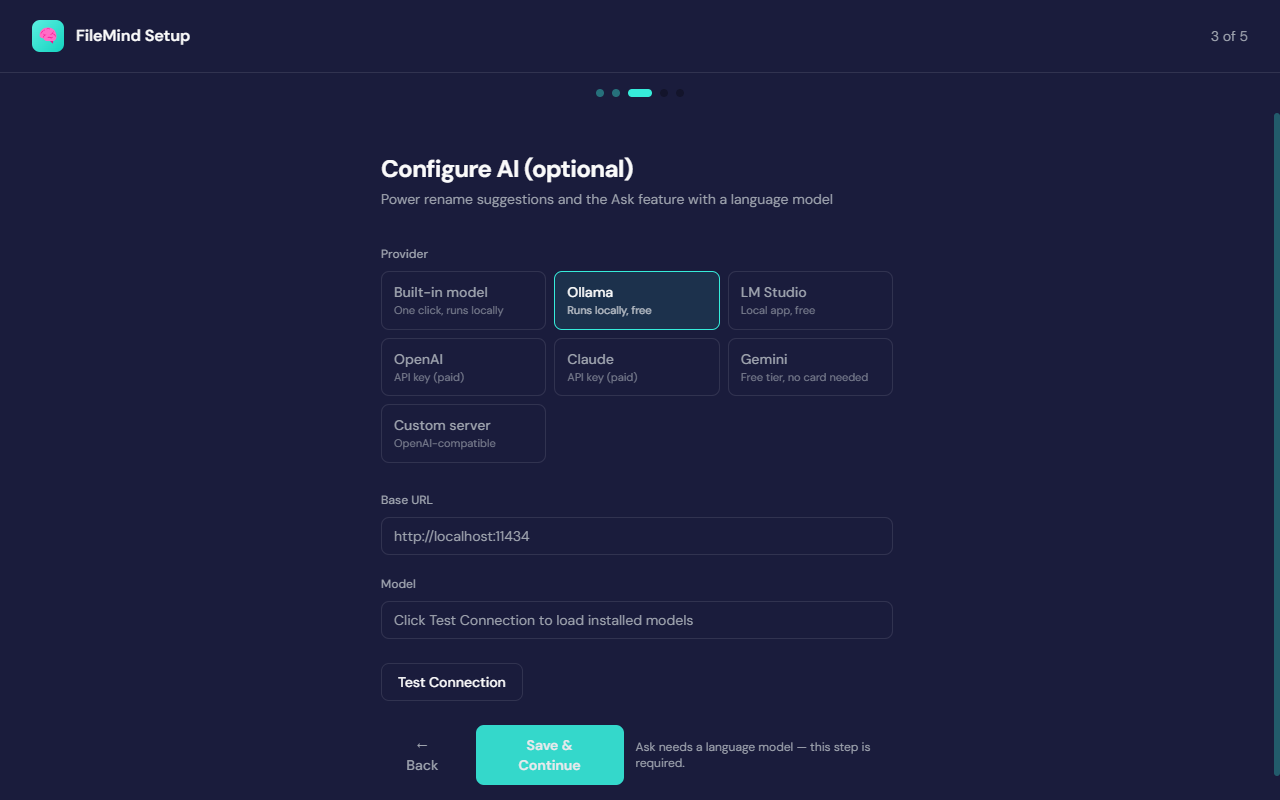
Getting a local AI model running sounds daunting — FileMind makes it one click. The setup wizard offers a built-in model that downloads and starts itself, detects Ollama or LM Studio if you already run them, recommends an Ollama model for your hardware, and tests any cloud API key before saving it.
- Built-in model: one click, no account, no separate install
- Automatic detection of Ollama and LM Studio already on your machine
- Curated Ollama catalog with a recommendation for your RAM and GPU
- Test Connection verifies the model before your first scan
Privacy & Portability
FileMind is a local application. There is no server. Your PDFs, your extracted text, your questions and answers — none of it leaves your machine. The entire system lives in a single SQLite file you can inspect, copy, back up, or move at any time.
- All processing runs on your machine — local AI by default, no cloud required
- No data collection, no account, no telemetry
- Single SQLite file — portable, backupable, queryable with any SQLite client
Privacy — Local-Only Architecture
100% local · SQLite · No network required
Start organizing your library today
Download the trial. No account, no cloud, no subscription required to get started.