Search & Ask
FileMind gives you three ways to find passages in your library, plus an AI-powered Q&A feature that answers questions using your own papers — with citations.
Search Modes
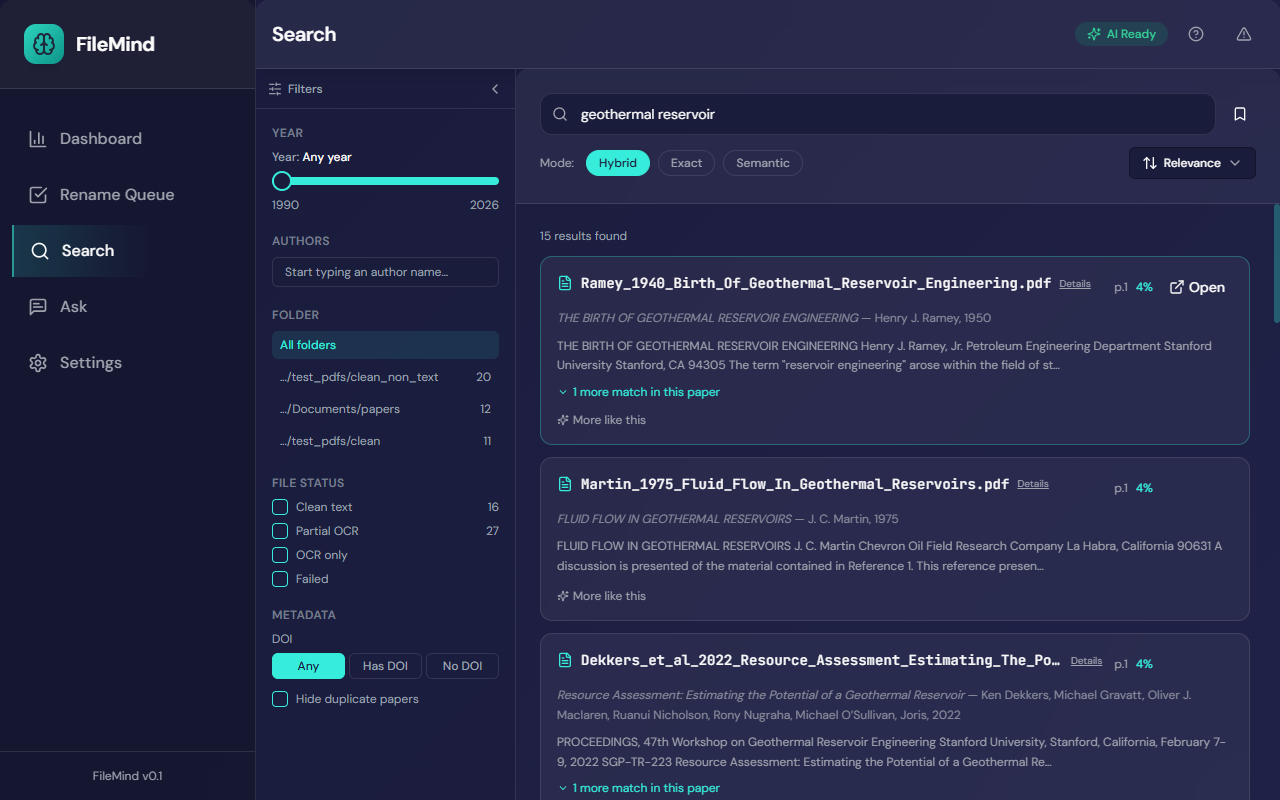
The mode toggle sits under the search box.
Hybrid (default)
Combines exact and semantic search, merges and deduplicates the results, then re-orders the best passages with a cross-encoder reranker. This is the default mode and works well for most queries.
Exact
Full-text keyword search powered by SQLite FTS5. Finds exact words and phrases across every page of every paper, including OCR'd text. Best when you know the specific terms you're looking for.
Semantic
Meaning-based search using sentence-transformer embeddings (BAAI/bge-small-en-v1.5,
bundled with the app). Finds papers about a concept even if they use different terminology —
searching for "reducing mineral deposits in wells" will find papers that discuss "silica
scaling".
Search Filters
The filter rail on the left narrows results:
- Year — a publication-year range slider
- Authors — type-ahead author filter
- Folder — restrict to one scanned directory
- File status — Clean text, Partial OCR, OCR only, or Failed
- Metadata — papers with or without a DOI, and Hide duplicate papers
Active filters appear as chips above the results so they can be cleared individually. Results can be sorted by relevance, year (newest or oldest), date added, or title. The bookmark button saves the current query and filters as a saved search, and example queries and your recent ones are suggested while the box is empty.
Search Results
Results are grouped by paper. Each card shows the filename, the paper's title and authors, the best-matching page and passage, a relevance score, and N more matches in this paper to expand the rest. From a card you can:
- Click the filename to open the PDF at the matching page in the built-in viewer
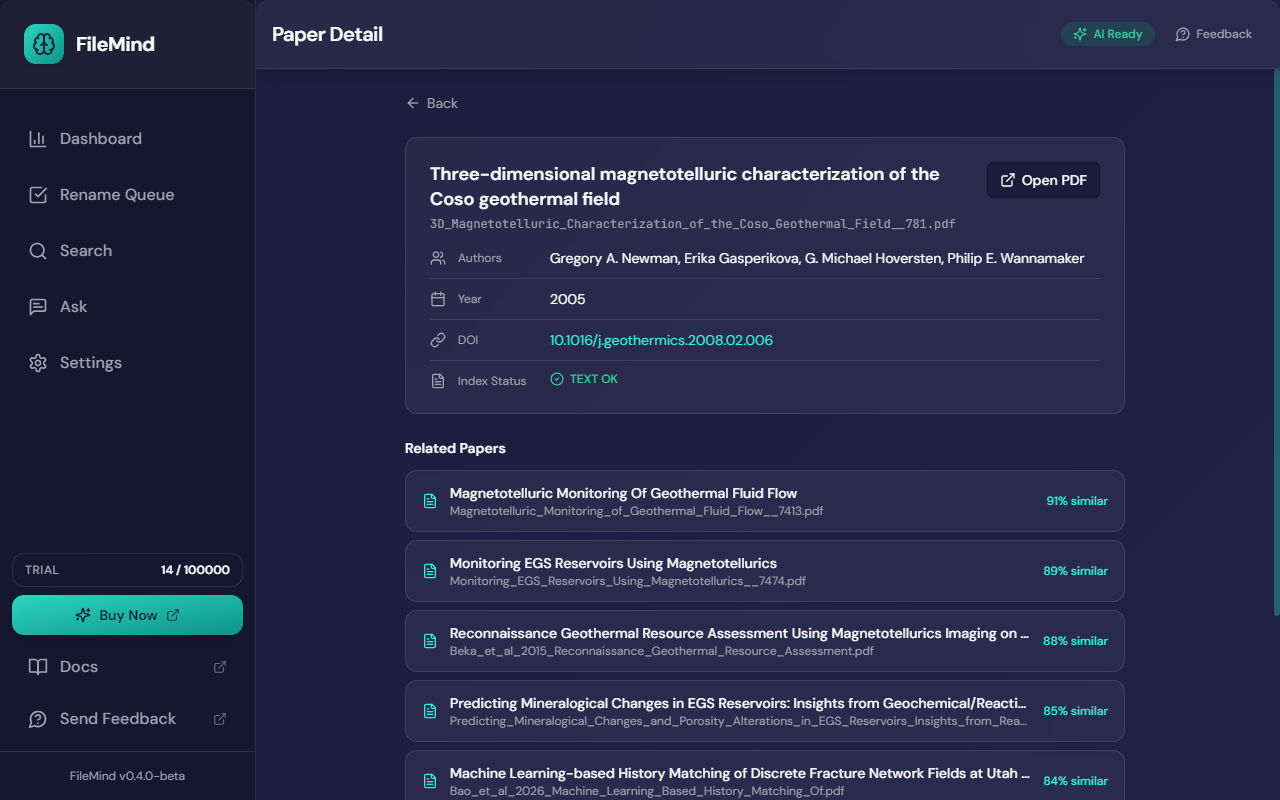
- Click Details to open the paper's detail page — full metadata, DOI, index status, and a Related Papers list ranked by embedding similarity
- Click More like this to search for similar papers
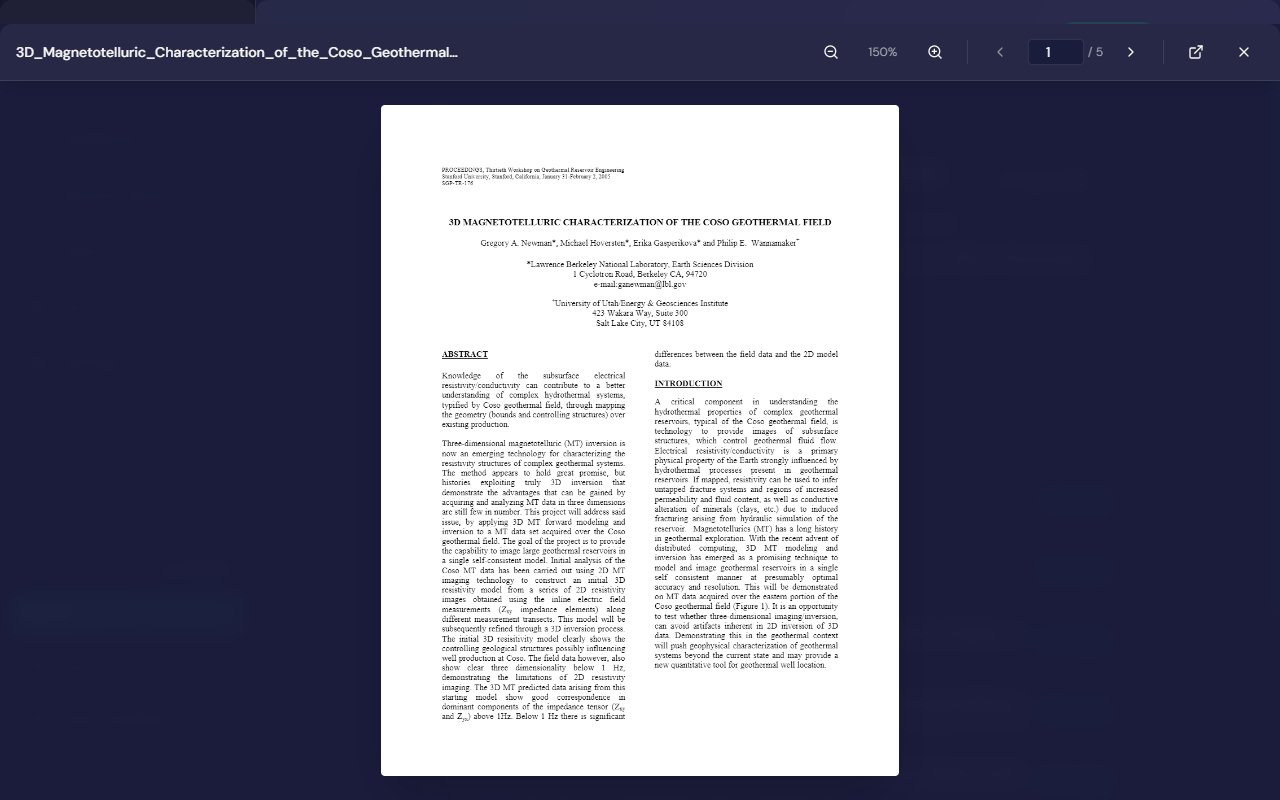
The built-in viewer has page navigation, zoom, and an Open in system PDF viewer button for your usual reader. Search hits and Ask citations open the viewer on the cited page.
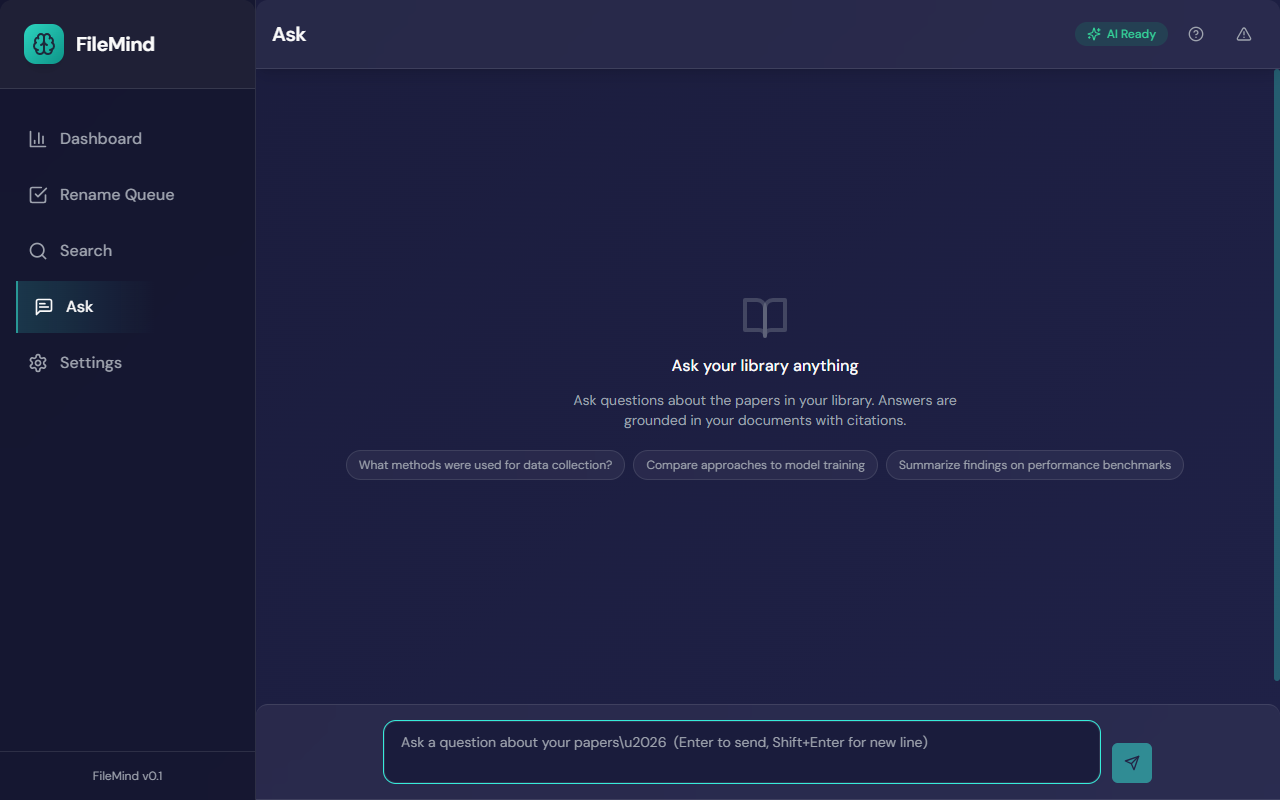
Ask My Library
Type a question in plain English and get an answer drawn from your own papers, with a citation on every claim. FileMind will not answer without a source.
How It Works
- Query rewriting — your question is optionally expanded by the model for better retrieval
- Hybrid retrieval — the top passages are fetched from both exact and semantic search (12 by default)
- Reranking — a cross-encoder (
ms-marco-MiniLM-L-6-v2) re-orders them by relevance - Context sizing — FileMind reads the model's context window and fits as many passages as it can (up to 48), so larger models see more of your library automatically
- Answer generation — the configured model writes an answer using only the retrieved passages
- Citation validation — every claim must cite a provided source or the answer is rejected and regenerated. Claims whose citation cannot be confirmed against the passage are kept but flagged with an amber badge and a notice
Citations
Answers include inline citations like S1, S2 that reference specific
papers and pages. Click a badge, or the entry in the Sources list, to open the
PDF at that page; Details opens the paper's detail page.
If FileMind can't find evidence for part of your question, it says so under Not found in library rather than guessing. You can stop a long answer with the stop button; an elapsed-time counter shows while the model is working.
Tips for Better Results
- Ask specific questions — "What temperature was used in the sintering process?" works better than "tell me about sintering"
- If results seem thin, check that your papers have been fully indexed — the File status filter shows which ones failed or needed OCR
- Larger models generally give better-grounded answers but are slower. The built-in 4B model is a good default;
gemma4:12bvia Ollama is the best-grounded option in the catalog if you have the GPU for it - For Ollama models that support thinking (gemma4, qwen3), leave Thinking mode on Auto in Settings — see Model Providers