Rename Workflow
FileMind turns filenames like
3D_Magnetotelluric_Characterization_of_the_Coso_Geothermal_Field__781.pdf into
Newman_et_al_2005_Three_Dimensional_Magnetotelluric.pdf. Every proposal carries a
confidence score and the reasons behind it, nothing is renamed until you approve it, and every
applied batch can be rolled back.
How Proposals Are Generated
Metadata is extracted during the scan. Proposals are a separate step — click Step 2: Generate Rename Proposals on the Dashboard — so you decide when they are made. FileMind uses a cascading strategy, trying the most reliable source first:
- Identifier lookup — if the first pages contain an arXiv ID, the arXiv API is asked first; if they contain a DOI, Crossref is. Both are free and unmetered. OpenAlex is off by default because its anonymous daily budget runs out on a first scan and its wrong years were the main cause of confidently wrong proposals.
- Heuristic parsing — extracts title, authors, and year from reading-order text using position and formatting cues, and cross-checks them against the PDF's own metadata.
- Language-model fallback — if the deterministic methods fail, the configured model extracts structured metadata from the PDF text. This is a last resort.
- Vision rescue (optional, off by default) — sends the first page as an image to a local Ollama vision model when even that fails. Enable it under Settings → LLM Provider → Vision rescue.
The language model never generates filenames directly. Filenames are always composed from a deterministic template using validated metadata fields.
Confidence Tiers
Every proposal gets a confidence score (0–1) from the quality of the extracted metadata: whether an identifier was found, whether the year is plausible and agrees between sources, whether the title came from the metadata zone, whether authors were detected below it, and penalties for boilerplate or low-quality text.
| Tier | Score | Behavior |
|---|---|---|
| High | ≥ 0.75 | Green badge. Eligible for Approve High, the one-click bulk approval. |
| Medium | 0.55 – 0.74 | Amber badge. Queued for individual review — approve or reject each one. |
| Needs review | < 0.55 | Red badge. Shown so you can see what was found, but the metadata is probably incomplete. |
Both thresholds are configurable — see Configuration.
Filename Template
The default template is Author, year, title, joined with underscores:
Buck_2022_Felsic_Dikes_Of_The_Coso_Geothermal_Field.pdf(one author)Bett_&_Jalilinasrabady_2022_Exergy_Profile_Analysis_By_Wellbore_Simulation.pdf(two authors)Chai_et_al_2022_Machine_Learning_Enhanced_Seismic_Monitoring_At.pdf(three or more)
Processing rules:
- Title: special characters removed, each word capitalised, truncated at a word boundary (50 characters by default)
- Author: last name only, diacritics normalised to ASCII, prefixes such as van, von, and de kept
- Year: four digits, validated against a plausible range (1900 to next year)
- Collision handling: appends
_(2),_(3), … if the filename already exists - Maximum total length: 160 characters including
.pdf
Reviewing Proposals
The Rename Queue has three tabs — Pending, Approved, and Rejected. Each row shows the current filename, the proposed one, and the confidence badge, with approve and reject buttons at the right.
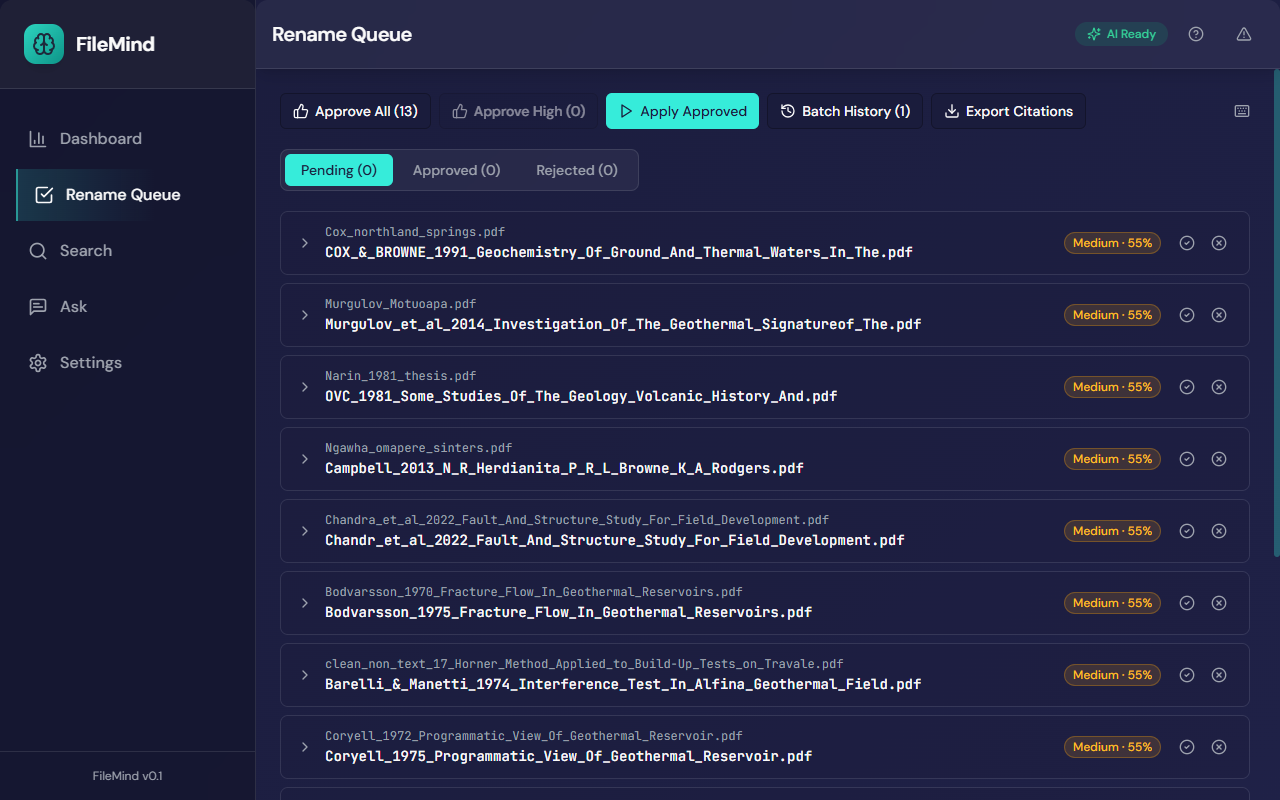
Expand a row to see why this name — the template used and every reason that contributed to the score — with a link to the paper's detail page.
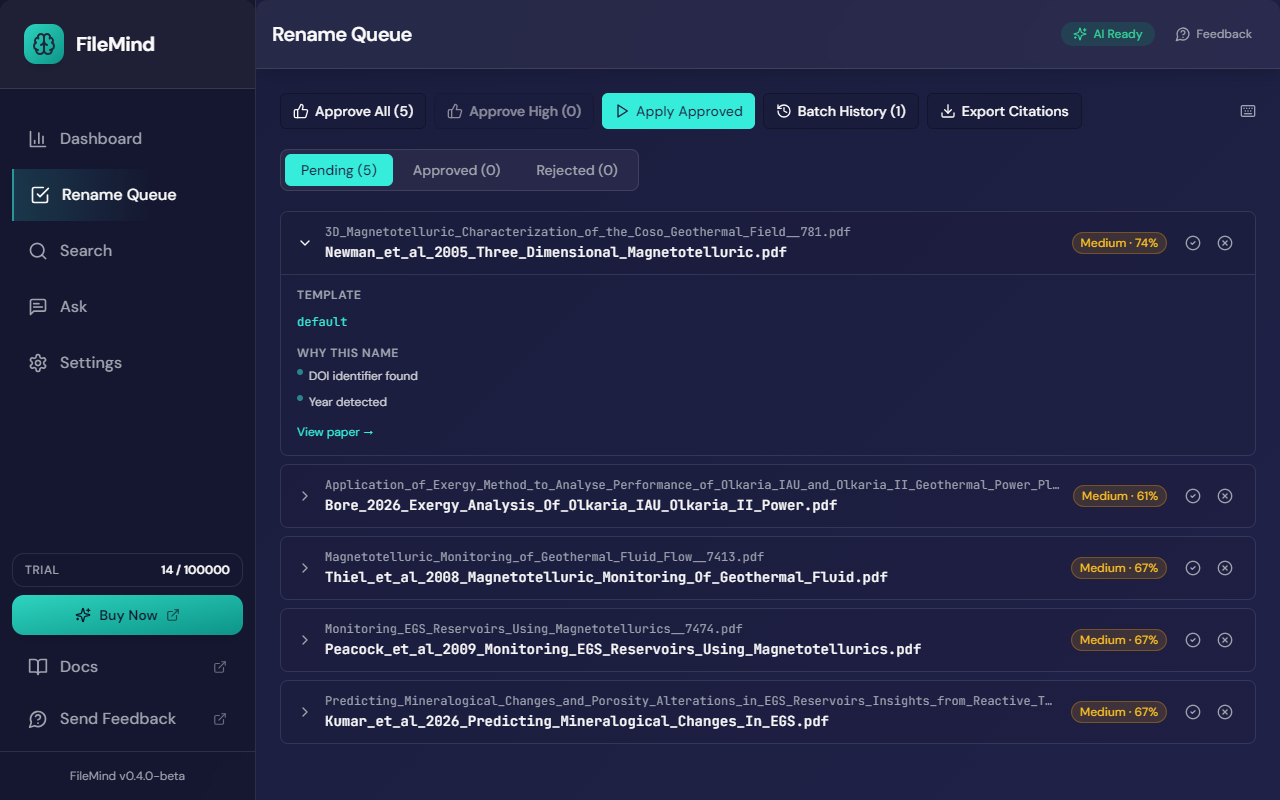
The toolbar gives you:
- Approve All — approve every pending proposal on the current list
- Approve High — approve only the high-confidence tier
- Apply Approved — rename the files in the Approved tab as one batch
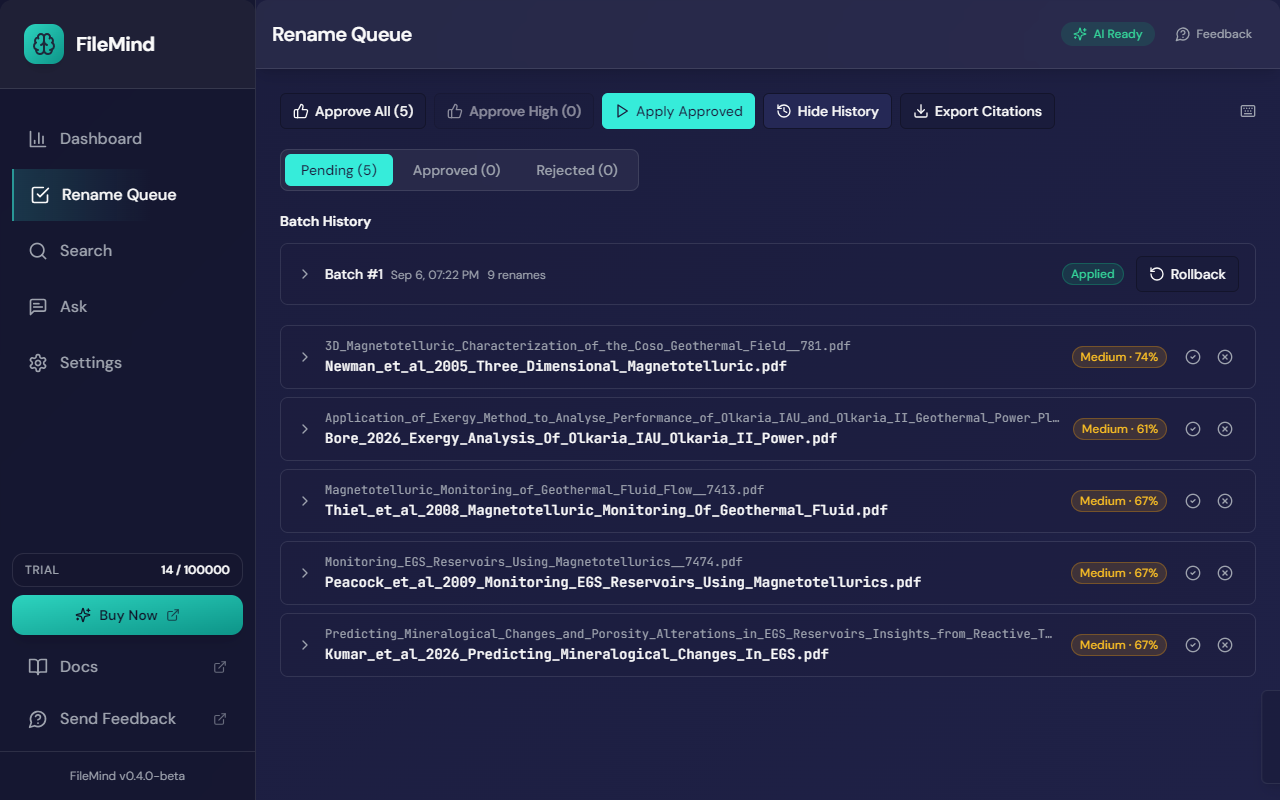
- Batch History — every applied batch, with its rollback button
- Export Citations — BibTeX, RIS, CSV, or push to Zotero (see Export & Integration)
Keyboard shortcuts (press ? to show them): j/k or the arrow keys move between proposals, a approves and r rejects the focused one, e or Enter expands it, and 1 2 3 switch tabs.
Applying Renames
Click Apply Approved to rename everything in the Approved tab as one batch. Each rename is written to the action journal before the file is touched, so the batch is fully recoverable. The Dashboard's Recent Jobs panel shows the apply job as it runs.
Rolling Back
Open Batch History and click Rollback on any applied batch to restore every file in it to its previous name. Batches show as Applied, Rolled back, Partial, or Error, so the audit trail is always visible.
If FileMind is interrupted during a batch (a crash or power loss), it detects the open batch on the next launch and rolls it back from the journal automatically.